
2025 年数字统计
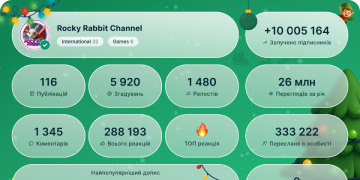
13 432 572
订阅者
+2 59124 小时
+27 0077 天
+106 67530 天
帖子存档
00:13
视频不可用在 Telegram 中显示
Device Management. In Settings > Devices you can see all the places where you are logged in.
Tap Link Desktop Device to quickly log in on Telegram Desktop or Web via QR Code.
Select an individual device to choose whether it can accept incoming calls or Secret Chats – or to log it out remotely.
All devices can also be set to log out automatically after a certain period of inactivity – ranging from 1 week to 1 year.
Manage Devices Android.mp43.55 MB
00:07
视频不可用在 Telegram 中显示
Anonymous Posting. Send messages in Public Groups and Channel Comments as one of your public channels, instead of your personal account.
Tap the profile picture next to the message bar to choose one of your channels – the messages you send after that will appear with its name and photo.
Anonymous Posting with audio.mp42.15 MB
00:09
视频不可用在 Telegram 中显示
Delete Messages by Date. Tap the date header in any 1-on-1 chat to select a day or range of dates and delete all messages sent and received during that period.
Deleted messages are permanently erased and can be removed only for you or for both sides – if you’d like messages to automatically delete themselves for both sides, enable auto-delete in any chat.
iOS Delete by Date.mp42.73 MB
00:19
视频不可用在 Telegram 中显示
Protected Content. Content creators can enable Restrict Saving Content in their group or channel to keep posts exclusive to their audience.
Enabling this setting restricts forwarding messages from the chat, prevents screenshots and disables saving media from posts.
Only the group or channel owner can edit this setting, which is available via the chat’s Info Page > Edit > Group/Channel Type.
Protected Content Android.mp45.34 MB
00:07
视频不可用在 Telegram 中显示
Instant Media Captions. On all Telegram apps, the text you type in the message bar automatically converts to a caption when you attach media.
This also works with Cloud Drafts – so you can type out the message on one device, then simply attach your media from another device and send it all together.
Tap ⋮ on Android to attach media after putting text in the message bar.
Instant Media Captions iOS.mp42.11 MB
00:14
视频不可用在 Telegram 中显示
Global Themes. Choose from 9 themes built by Telegram designers for your entire app – each with a Day and Night mode, colorful animated background, and gradient message bubbles.
Like all themes, you can personalize these to change colors or pick a different pattern. For more custom settings, tap Chat Themes on iOS or Browse Themes on Android to edit and share your creations.
Global Themes iOS.mp44.34 MB
00:20
视频不可用在 Telegram 中显示
Join Requests. Enable admin approval for additional links to your group or channel so you can preview potential members before they are able to access the chat.
With these links you can create and join special closed chats – like a group just for superfans, or a channel with exclusive content. Users opening these links send a join request, which admins can manage from a banner at the top of the chat.
Bot developers have the tools to build bots that can share invite links and approve potential members – or even give them special tasks before they are allowed to join.
Join Requests Tip Channel.mp44.36 MB
00:13
视频不可用在 Telegram 中显示
Shared Media. Tap the header in any chat to open its Shared Media page – containing all the photos, videos, music and more that have been sent there.
Drag the date bar to swiftly scroll back years in the past, and tap the bar to open a calendar view with media previews for each day.
Tap ⋮ or ⋯ to show only photos, only videos, or both and pinch to zoom in or out and change the size of the previews – then press and hold on any thumbnail to jump to its place in the chat.
Shared Media.mp43.60 MB
00:11
视频不可用在 Telegram 中显示
Productivity Tip: Use pinned messages in Groups and Channels to highlight important info or create a directory to easily navigate between messages or even multiple chats.
All messages in groups and channels have unique links that will instantly direct a user to that specific message.
In private groups and channels, these links only work for members or subscribers of the chat.
Directory and Message Links new taps.mp43.29 MB
00:13
视频不可用在 Telegram 中显示
Bots. Perform tasks and access services built on Telegram’s open Bot Platform. Use the Bot Menu or enter text to send your command, and the Bot will instantly process your request.
Any developer can build these chat-based applications that run directly inside Telegram for anything from online stores to arcade games.
Bots have unique t.me links and can be found in search – like the official Sticker Bot, Gmail Bot, and more.
Bots updated.mp43.94 MB
00:23
视频不可用在 Telegram 中显示
Public Groups and Channels.
All groups and channels are private by default, but you can make them public and open for any user to join or subscribe.
Public groups and channels appear in Global Search results, can reach an unlimited audience and host massive communities for any interest – from cats to cryptocurrency.
You must be the chat owner to change the group or channel type. On Android tap the Chat Header > ✏️ > Group/Channel Type. On iOS tap the Chat Header > Edit > Group/Channel Type.
Public Groups and Channels updated.mp46.76 MB
00:14
视频不可用在 Telegram 中显示
Record Live Video. Admins can record Live Streams and Video Chats to save and share after the broadcast.
Video can be recorded in portrait or landscape orientations, and after the recording is stopped or the broadcast ends, the file is instantly uploaded to the admin’s Saved Messages.
You can start recording from any device – simply tap ⋮ or ⋯ to open the broadcast menu.
Record Live Video square.mp43.78 MB
00:04
视频不可用在 Telegram 中显示
Group Read Receipts. In groups, your message is marked as read as soon as one member opens it. You can then select your message to see which group members have read it.
To protect users’ privacy, read receipts in groups are only stored for 7 days after the message was sent.
Group Read Receipts Tip.mp41.44 MB
00:19
视频不可用在 Telegram 中显示
Interactive Emoji. Send and tap a single
🎆🎉🎈👍👎❤️😂😭🤩
😁😢🔥😱🤮💩❄️👻🎃💸
in any private chat to unleash a fullscreen effect.
When both users have the chat open, the animations and vibrations play simultaneously on their devices. You can tell that your friend also sees the animation from their watching status.
Interactive Emoji Square.mp44.45 MB
00:31
视频不可用在 Telegram 中显示
Chat Themes. In 1-on-1 chats, you can apply a specific theme just for that chat – giving it a distinct look and feel.
Every theme has its own day and night version, with gradient message bubbles, animated backgrounds and unique patterns.
Chat themes sync across your devices, and also are applied for your chat partner.
To choose a chat theme on Android, tap ⋮ > Change Colors.
On iOS, tap the Chat Header > More > Change Colors.
Chat Themes Square.mp46.47 MB
00:06
视频不可用在 Telegram 中显示
Sticker Suggestions. Type a single emoji in the message bar to instantly see dozens of relevant stickers for any situation.
You can quickly find the emoji you’re looking for with emoji suggestions and shortcuts – no scrolling required.
Android Sticker Suggest updated.mp41.73 MB
00:11
视频不可用在 Telegram 中显示
Trending Stickers. Above your Recently Used stickers, you’ll find the latest packs from professional artists.
Scroll the bar to take a look at the thumbnails, then tap to preview and add packs to your panel.
To change the order of your sticker packs, press and hold one of the icons the top bar and drag it into place.
Trending Stickers Tip 2.mp44.67 MB
00:06
视频不可用在 Telegram 中显示
Jump to Next Unread Channel.
There are millions of channels on Telegram that post news, videos, memes and more. When you reach the bottom of a channel, you can swipe up to immediately switch to your next unread channel – without going back to your chat list.
If you use Folders or Archived Chats to organize your chat list, the app will first show you channels from the Current Folder, then your Other Folders, then from All Chats, and lastly your Archive.
Jump to Next Channel.mp41.77 MB
00:16
视频不可用在 Telegram 中显示
Flexible Forwarding. Tap Forward Message above the message bar to open a preview window and customize how the messages will appear.
Hide sender names, hide captions from media messages, deselect messages or change the recipient if you tapped the wrong chat.
In your Privacy and Security settings, you can control whether your own messages include a link to your profile when forwarded with your name visible.
IMG_1593.mp42.27 MB
00:05
视频不可用在 Telegram 中显示
Live Streams in Channels. Start a Live Stream in your channel to broadcast video and audio or share your screen with unlimited viewers from any device – mobile or desktop.
On Android, open the Channel Profile > ⋮ > Start Live Stream.
On iOS, open the Channel Profile > Live Stream.
On Desktop, tap the 💬 icon in the top bar of the Channel.
On macOS, tap … in the top bar of the Channel > Live Stream.
live streams.mp41.69 MB