
Telegram Tips
Ir al canal en Telegram
Telegram stands for freedom and privacy and has many easy to use features.
Mostrar más2025 año en números
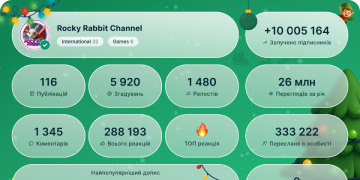
13 433 780
Suscriptores
+2 59124 horas
+27 0077 días
+106 67530 días
Archivo de publicaciones
00:15
Video unavailableShow in Telegram
Reminders. If you schedule a message in your Saved Messages chat, it will turn into a reminder. Be your own time-traveling secretary – whether it's about a dentist appointment next week, or waking up in time for pizza delivery.
reminders_1.mp43.16 MB
00:04
Video unavailableShow in Telegram
Archived Chats. Swipe left on a chat to transfer it to your archived chats folder. When an archived chat gets a notification, it will pop out of the folder and back into your chat list. Muted chats will stay archived forever.
An unlimited number of chats can be pinned in your archive to keep messages there in the order you want.
archived chats_2.mp46.66 KB
00:06
Video unavailableShow in Telegram
Hiding the archive. Swipe left on the archive to hide it. Show it again by swiping down.
hiding the archive_1.mp41.31 MB
00:23
Video unavailableShow in Telegram
Chat Folders. With work, studies, friends and family all in one app, a little organization goes a long way. Users can add chat folders to create separate tabs for specific chats so they never miss a message.
There are several preset options (like ‘Unread’), as well as custom folders that include and exclude chats by type and read status. For everything else, you can individually add and remove chats from a folder so they have everything you want and nothing that you don’t.
For even more control, folders support unlimited pins to always keep chats in your preferred order. To get started, go to Settings > Folders on any device. Oh, and they sync across all your devices 👍
chat folders_1.mp46.54 MB
00:34
Video unavailableShow in Telegram
Channels are a powerful tool for broadcasting messages to unlimited audiences.
Only admins are allowed to post updates, but you can add comments to engage with users – see @durov for example.
Channels are anonymous: posts show the name and photo of the channel, rather than the individual who posted them. The list of subscribers is also private and only visible to admins.
For dozens of other channel functions that couldn't fit here, check out our full guide.
Channels_1.mp45.94 MB
00:07
Video unavailableShow in Telegram
Channel Comments. Channels with a linked Discussion Group have a comment button under each post, where both subscribers and visitors can share their thoughts on the latest updates.
Comments appear in their own separate threads, but also are posted in the discussion group to give admins and frequent participants a place to see every new comment in one place.
If you are not a member of the channel’s discussion group, notifications for replies to your comments are sent to a special chat called Replies.
channel comments.mp41.95 MB
00:11
Video unavailableShow in Telegram
Pinned Messages. All Telegram chats support multiple pinned messages, so important info is always within reach. Tap the top bar to jump between messages or hit the button on the right side to see all pins on a separate page.
When pinning a message in a group, you have the option to send a notification to all group members, even if they have the chat muted.
pinned messages_1.mp44.66 MB
00:16
Video unavailableShow in Telegram
Polls in Groups and Channels. Telegram polls can be anonymous, or have visible votes so that everyone in the group sees who voted for what.
Multiple answer polls can be helpful when deciding on a date or place for an event.
Polls with Quiz mode enabled have a correct answer and can power anything from trivia games to public service exams.
polls in groups_1.mp46.11 MB
00:17
Video unavailableShow in Telegram
iOS Storage Usage Settings. Telegram needs almost no storage space to run on your device.
Go to Settings > Data and Storage > Storage Usage to selectively clear your cache – even for individual chats.
Set Keep Media to regularly remove unused items, or a Maximum Cache Size to keep everything compact. Here’s how it looks on Android.
iOS Cache Storage Usage Updated.mp44.77 MB
00:05
Video unavailableShow in Telegram
Multiple Accounts. All Telegram apps let you stay signed in on 3 accounts (with different phone numbers) simultaneously.
multi account desk media_1.mp41.37 MB
00:15
Video unavailableShow in Telegram
Autoplaying videos and auto-download settings. Smaller videos start playing without sound when they reach your screen. To unmute them, simply press the volume buttons on your device.
Automatic Media Download Settings put you in control of your data usage. It‘s easy to see your current settings at a glance and switch between Low, Medium and High presets for Mobile, Roaming and Wi-Fi.
You can also manually set up automatic downloads by chat type, media type and file size. The app will remember your choices as the Custom preset in case you need to temporarily switch to Low and back — or the other way around.
autoplaying videos and auto download settings_1.mp44.85 MB
00:22
Video unavailableShow in Telegram
Media Editor. With more functions than standalone editing apps, Telegram’s powerful media editor has tools to add text, drawings, stickers and more.
Create custom GIFs from your own videos, make basic and advanced corrections, and add decorations for another layer of artistry.
media editor general.mp43.38 MB
00:10
Video unavailableShow in Telegram
Disappearing Photos and Videos. You can send disappearing media in any one-on-one chat. They self-destruct after opening, leaving no trace of your confidential content.
On Android tap the ⏱ icon in the media editor, and on iOS press and hold the 'Send' button > Send With Timer.
iOS Disappearing Media fixed.mp42.95 MB
00:03
Video unavailableShow in Telegram
Media Panel: Add Stickers. Decorate your photo or video with stickers – adding animated stickers creates a quick GIF featuring your favorite characters.
add animated stickers to media.mp41.11 MB
00:07
Video unavailableShow in Telegram
Partial Selection. You can select any portion of a message to copy or share, instead of only the full text. And here’s how it looks on iOS.
Partial selection Android.mp41.90 MB
00:11
Video unavailableShow in Telegram
Audio Playback Speeds. Tap to enable 2x playback speed for voice messages, podcasts and long audio files. Press and hold the 2x button to choose other speeds such as 0.5x and 1.5x.
Don’t worry if you don’t finish listening – your progress is automatically saved for later.
Multiple playback speeds are also available for videos in the media player and video messages.
Podcasts.mp43.39 MB
00:08
Video unavailableShow in Telegram
Timestamps. If you add a timestamp like 0:05 to a video caption or reply, it will be automatically highlighted as a link. Tapping on a timestamp will play the video from the right spot.
Timestamps are supported on Telegram videos and for messages with YouTube links, in case you want to mark your favorite moments.
timestamps_1.mp42.74 MB
00:09
Video unavailableShow in Telegram
Add people nearby. Quickly exchange contact info with Telegram users who are standing next to you (and also have this section open).
add people nearby_1.mp42.77 MB
00:12
Video unavailableShow in Telegram
People Nearby. If you’re looking to connect with people in your community, head over to Contacts > People Nearby to see adventurous Telegram users in your area.
You can join in by tapping Make Myself Visible, which adds your profile to the list so other users can send you a message.
If you’re no longer in the mood to mingle, tap Stop Showing Me at any time to remove yourself from the list.
people nearby 2_1.mp43.57 MB
00:11
Video unavailableShow in Telegram
Profiles. Users, Groups and Channels all have detailed (and stunning) profile pages that include full-size profile photos and instant access to shared media. Expand any item into a fullscreen view, then tap left and right to flip forward and back.
profiles_1.mp44.23 MB