Tonkeeper News
Ir al canal en Telegram
The official news channel of Tonkeeper. Download Tonkeeper for iOS and Android tonkeeper.com Help Center tonkeeper.helpscoutdocs.com Support @tonkeeper Twitter x.com/tonkeeper Официальный новостной канал Тонкипера @tonkeeper_ru
Mostrar más2025 año en números
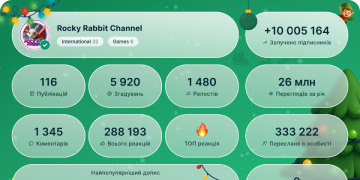
6 495 120
Suscriptores
-3 55224 horas
-13 0937 días
-101 09930 días
Archivo de publicaciones
☁️ TON Network Issues
Transactions are not processed by the TON network at the moment, all teams in the TON community are investigating the issue.
Our team is actively working on a resolution.
We will keep you informed as the situation progresses. There is no risk to user crypto assets. Users crypto assets are safe.
👍 8 611❤ 2 853😢 1 245👎 777🖕 636💩 618🔥 333😱 301👻 226😁 224🐳 224
🚀 TON Network is fully operational
UPDATE! TON is online, thanks TON Core team for their hard work!
Thanks for your patience and understanding.
❤ 7 515👍 3 749👏 664🔥 572👎 518🖕 435🤮 296🤡 293💯 268❤🔥 263🤯 256
🌧 TON Network Issues
23:28 UTC
Transactions are not processed by the TON network at the moment, all teams in the TON community are investigating the issue. Your funds are safe.
This post will be updated as we gather more information.
❤ 12 713👍 6 441😭 3 907😢 1 221🖕 1 199🤣 728🤡 527🔥 496🥰 387🤝 364😁 360
Photo unavailableShow in Telegram
👋 Hey Friends! We've been getting a lot of questions about DOGS and Tonkeeper recently, so here are the answers to some of the most common ones.
Why are recent transactions not listed in wallet history?
Due to blockchain congestion, some transactions may not immediately appear in your wallet history. The Tonkeeper team is aware of the issue and is actively working on improving stability and ensuring accurate data display.
What to do when a swap hasn’t gone through despite confirmation?
Due to current network congestion, processing all on-chain transactions, including swaps, may take longer than usual. While we cannot speed up the process, you can be sure transactions will be completed.
Why are transactions taking so long?
Network congestion is causing delays in transaction confirmations. This is temporary, and the Tonkeeper team is doing everything possible to speed up the process. Tonkeeper is monitoring the situation closely and taking all possible steps to minimize the impact of these delays on customers to ensure a smooth experience.
When will the "Claim onchain" button be available in DOGS?
Unfortunately, this information is currently unknown. To stay up to date on the latest DOGS news, stay tuned to the official @dogs_community channel for updates.
What is the fee for claiming $DOGS?
Claiming $DOGS will require approximately 0.5 TON.
How to withdraw DOGS:
1. Go to @dogshouse_bot.
2. Click Connect wallet and claim. Choose Tonkeeper to connect your wallet to the app, and confirm it in Tonkeeper. Make sure to select the correct wallet to withdraw $DOGS tokens.
3. Click Claim on-chain to withdraw $DOGS to Tonkeeper.
4. Launch the TokenTable pop-up window and then click next.
5. Click Connect wallet, and select your Tonkeeper wallet to make a withdrawal.
6. Finally, claim your tokens by clicking claim! You will need to confirm the withdrawal by sliding a blue arrow.
7. Receive your $DOGS in Tonkeeper.
After confirming the withdrawal to Tonkeeper, $DOGS tokens will be sent to your wallet.
Want to exchange the tokens? The easiest way to do so is to use Tonkeeper’s built-in swap feature to exchange $DOGS for $TON or $USDT:
In Tonkeeper’s main screen, click swap, then enter the amount of DOGS to exchange to TON or USDT.
With the excitement around $DOGS, millions are claiming their tokens right now. This might cause some transaction delays. We're monitoring everything closely to ensure smooth processing, but despite our best efforts, transactions may take a bit longer than normal.
⛽️ Don’t forget you can use the Tonkeeper Battery to cover any gas fees incurred with no TON required!
Open the Tonkeeper app, select Settings and top up your Battery with your credit card. Charge it and exchange $DOGS for TON or USDT without having to worry about paying gas in crypto.
❗️ Important:
The network is currently overloaded. Here’s what you need to know:
• Transactions are being confirmed and credited much slower than usual.
• Pending transactions may temporarily not appear in your wallet history — this is normal.
• It may take up to 15 hours to deposit tokens.
• Swaps are also affected by the delays.
This network congestion is a temporary issue that will pass soon. Thank you for your understanding and patience! 🙌🏻
Download Tonkeeper: tonkeeper.com
Follow: en · ru · فارسی · 中文 · uz · twitter · discord
👍 5 557❤ 1 931😭 552🔥 284🍌 175🤷♂ 174🤣 173👏 150🥴 150🥰 137😁 134
Photo unavailableShow in Telegram
🎯 New Tonkeeper dApps Browser in Telegram!
We're thrilled to announce the launch of the new Tonkeeper dApp browser on Telegram. This feature marks a significant step towards bringing decentralized applications (dApps) closer to our community. Now users can easily access various tools, games, and DeFi products through the @tonkeeper wallet's integrated browser.
Let us introduce some of our partners. Explore these apps and many others available in the Browser on Tonkeeper in Telegram in the Digital Nomads, DeFi, and Fun categories.
Ston.fi
STON.fi is a decentralized automated market maker (AMM) built on the TON blockchain, providing virtually zero fees and low slippage. It is intuitive, easy to navigate and offers direct integration with TON wallets.
Mobile
eSim provider Mobile offers global mobile services in more than 150 countries and regions. Mobile eSIM can be purchased from anywhere around the world and activated instantly. As you don’t need a physical SIM card, you don’t have to worry about shipping time or locating the nearest shop to get the SIM card.
TON VPN
Now in the Tonkeeper browser, you can access the Ton VPN to ensure the security and privacy of your data. Connect to a Ton VPN to protect your connection and access any content without restrictions.
Wizzwoods
Wizzwoods is the first Pixel Farm game that integrates interchain capabilities with a SocialFi twist. It combines social traffic with gaming, creating the potential to bring new possibilities to Web3.
AKEDO Games
AKEDO Games is the First-class Game Arcade on Telegram and TON, backed by TOP & TON Foundation. The vision is to build the best gaming community on Telegram.
Zoomania Fishing
Zoomania Fishing offers a relaxed, idle fishing experience. Players have a chance to get prizes airdropped.
Ton Heroes
Leading RPG Game on TON!
All At Once
AAO Game is an innovative strategic card game inspired by Clash Royale on Telegram. It features an immersive map and character system, diverse game modes, and a dynamic in-game economy.
👉 How to start:
1. Open @tonkeeper
2. Сonnect your Tonkeeper wallet
3. Choose Tonkeeper Browser and select the app that caught your eye!
We're proud to bring these innovations to our users. Dive into the new Tonkeeper dApps browser today and explore everything Web3 has to offer—all within the familiar environment of Telegram.
Download Tonkeeper: tonkeeper.com
Follow: en · ru · فارسی · 中文 · uz · twitter · discord
👍 3 834❤ 1 282🔥 234👎 154🥰 119🗿 78🙈 77💋 76😁 75🕊 73👏 71
⚡ Higher than usual network activity
Millions of people are claiming DOGS token this very minute and some transactions may experience delays. We are watching all the systems to make sure nothing breaks, all transactions and activities are being processed, but may take a bit longer to complete.
Thank you for your patience! 🐾
❤ 15 909👍 6 889😭 4 120🔥 1 234🤣 819❤🔥 595👏 451💯 449👻 437🥰 404😁 403
Photo unavailableShow in Telegram
🤓Tonkeeper Education Hub
We are thrilled to announce the new installment of Tonkeeper Education Hub. This time, we will cover TON fees and the Tonkeeper battery.
TON has garnered significant attention for its high throughput, scalability, and low transaction costs. However, like any blockchain network, it operates on a fee-based system. Understanding these fees is crucial for users to effectively manage the TON holdings and optimize their transactions.
How do TON Fees Work?
When making a crypto transaction, users are usually required to pay a gas fee. TON fees included in gas are complex and depend on several factors. Have a look at the fee formula below.
TransactionFee = StorageFees + InFwdFees + ComputationFees + ActionFees + OutFwdFees
Let’s break it down and discuss each factor that comes into play:
- Storage_fee is the cost of storing the smart contract (including the TON wallet) on the blockchain. This is essentially rent paid by the second.
- in_fwd_fee is a charge for importing messages from outside the TON blockchain into the TON network for validators to process.
- computation_fee is the cost of running the smart contract code on the TON virtual machine, and The more complex code the higher the fee is.
- action fee is the cost of processing an action triggered by the smart contract execution, like sending messages to other contracts.
- out_fwd_fee (not currently implemented) is a charge for sending messages out of the TON network to interact with external services.
The average gas price when sending any amount of TON sits around 0.0055 TON. Transactions are expected to remain below $0.01, even if the price of TON increases significantly. This is a stark contrast to the often exorbitant fees seen on other popular blockchains.
🔋Tonkeeper Battery
Tonkeeper Battery offers an alternative way of paying transaction fees. Instead of paying gas in crypto, you can do so by spending battery charges you can buy hassle-free with your credit card or a stablecoin.
Battery has been created to remove an obstacle for newcomers. Users can conduct transactions without going to an exchange to buy coins to cover blockchain fees. Tonkeeper Battery pays your fees for you, automatically.
Users can charge the battery with one tap using in-app purchases, or with TON or stablecoins. One charge is enough to cover the fee of a simple TON transfer transaction, with more complex transactions requiring more charges.
When a user signs a transaction, Tonkeeper deducts the amount of charges required to pay gas fees from the Battery.
One charge: Covers a simple Ton transfer.
5–10 charges: Required for more complex transactions like token or NFT transfers.
Tonkeeper Battery has processed more than 2 million transactions by mid-June 2024. Check it out now and make crypto transactions simpler than ever.
Download Tonkeeper: tonkeeper.com
Follow: en · ru · فارسی · 中文 · uz · twitter · discord
👍 6 962❤ 2 304🔥 474🥰 408🎉 263🍾 229🆒 218😁 209👏 204🐳 200👀 198
Photo unavailableShow in Telegram
🌏 Channel for Uzbek Users
Friends, we’re coming with exciting news. Tonkeeper is launching a new channel dedicated to Uzbek-speaking users in a bid to make our content readily available to more people globally.
This new channel will help our Uzbek-speaking community stay informed and engaged with Tonkeeper in their native language, ensuring everyone can easily access the latest news, updates, and support.
As Tonkeeper continues to grow and expand globally, we are committed to making our platform as accessible as possible to users worldwide. If you would like to join us in making our app and content more accessible in other languages, don’t hesitate to reach out!
👉 Join us and be part of the growing international Tonkeeper community: https://t.me/tonkeeper_uzbek
What other communities would you like to see next? Let us know!
Download Tonkeeper: tonkeeper.com
Follow: en · ru · فارسی · 中文 · twitter · discord
👍 3 907❤ 1 360😡 205👎 144🔥 122🥰 118👌 117🐳 110❤🔥 108⚡ 93🆒 93
Photo unavailableShow in Telegram
🖼 NFTs in Tonkeeper
Friends, today, we’ll cover what NFTs are and introduce the new MMpro collection, now available on Tonkeeper.
Non-fungible tokens (NFTs) are unique digital assets like a piece of art, music, or even virtual real estate that are stored securely on a blockchain. What makes them different from cryptocurrencies is that they are not interchangeable—you can exchange one TON for another because they are fungible and their value is always the same.
Meanwhile, NFTs, even those from the same collection, have unique codes behind them. The qualities of NFTs make them perfect for proving ownership and authenticity of digital, or even physical, items.
Ready to Explore NFTs in Tonkeeper?
Tonkeeper, a popular wallet for the TON blockchain, has integrated NFT capabilities, enabling users to store, manage, and trade NFTs seamlessly. It offers a secure and user-friendly experience for engaging with the rapidly growing NFT market within the TON ecosystem.
New NFT collection from MMpro Trust
MMpro Trust is excited to announce the launch of the RWA Store, where users can participate in the distribution of secondary assets in the form of real-world asset (RWA) NFTs.
Starting today at 20:00 CET, a new Ledger secondary asset distribution will be available.
To participate:
1. Open Tonkeeper
2. Navigate to the Browser
3. Select "RWA Store"
4. Choose "RWA Pre-IPO Assets of Ledger"
If you’ve previously received prize vouchers from the Bump mini app, now’s the time to use them to earn an extra 10% on your distribution.
About MMPro Trust
MMpro Trust is an asset management and trading platform that offers secure pre-IPO investments. It offers secondary shares of late-stage venture capital investment companies, and its portfolio consists of more than 20 companies. MMpro Trust is committed to innovation, security, and broadening access to real-world asset (RWA) tokens.
👉Please note that Tonkeeper shares news for informational purposes only and does not provide financial advice. Do Your Own Research.
Download Tonkeeper: tonkeeper.com
Follow: en · ru · فارسی · 中文 · uz · twitter · discord
👍 4 159❤ 1 349🔥 238🥰 169💩 111👏 106🖕 96🍌 95😁 82🆒 82🤡 81
00:18
Video unavailableShow in Telegram
🚀How to sell TON in Tonkeeper
In the ever-evolving world of cryptocurrency, TON has emerged as a significant player. Thanks to its unique features, TON is constantly seeing growing adoption, and so many investors are turning their eyes to crypto wallets. One of the most popular wallets for managing TON is Tonkeeper, a user-friendly, secure wallet designed specifically with TON in mind.
Tonkeeper offers a range of features that make storing, sending, receiving, and trading TON easy and accessible to everyone, regardless of their experience in crypto. Today we will guide you through the process of selling TON using Tonkeeper.
👉Information about buying crypto in Tonkeeper
How to Sell TON in Tonkeeper?
To sell the TON, follow the instructions below:
1. Open the Tonkeeper App
Begin by opening the Tonkeeper app on the device and logging into the wallet.
2. Navigate to the Buy/Sell Section
Once logged in, tap the "Buy/Sell" button. This is typically located on the main screen.
3. Choose Sell
In the Buy/Sell section, select the "Sell" option to proceed with withdrawing TON.
4. Pick an Exchange Partner
Tonkeeper often integrates with third-party exchange services like Mercuryo or AvanChange. Choose the preferred exchange partner.
5. Enter Withdrawal Amount
Specify the amount of TON to withdraw from Tonkeeper. Make sure to enter the correct quantity.
6. Provide Bank Details
Follow the instructions provided by the chosen exchange partner to enter the bank account information. This usually includes the bank's name, account number, and routing number.
7. Confirm and Initiate
Double-check all the details you entered to ensure accuracy. Once satisfied, confirm the transaction to start the withdrawal process.
Buying and selling TON in Tonkeeper is a relatively straightforward process. By following the guidelines outlined in this article and prioritizing security, users can confidently manage their TON holdings and participate in the growing TON ecosystem.
When investing, users should always stay up-to-date on the latest developments in the cryptocurrency market and make informed decisions based on their financial goals.
Download Tonkeeper: tonkeeper.com
Follow: en · ru · فارسی · 中文 · uz · twitter · discord
Sell.mp48.25 MB
👍 6 714❤ 2 096🔥 355🥰 283🖕 181🍾 179🍌 164🍓 164🥴 163👎 160🤩 160
Photo unavailableShow in Telegram
🎡 Help Tonkeeper Become More Accessible
Hi friends, as Tonkeeper is growing quickly, our team is working hard to make the app and all communications even more convenient for users globally.
Just last week, we added support to another language: Bulgarian, and we are hoping to expand our offer soon.
That’s where you come in! We’re looking for more contributors to join us behind the scenes.
If you want to help make Tonkeeper more accessible, here’s your chance. We’re looking for translators who can help us translate the Tonkeeper into more languages.
Languages needed: German, Spanish, Farsi, Hindi, Ukrainian, Indonesian, Polish, Dutch.
If you know any other language, that’s great. Our services are global, and so we wish to reach as many people as possible.
How to start out?
1. Create new locales.
2. Translate files from all four folders (tonapi, tonkeeper, tonkeeper-web, tonendpoint) found here.
3. Let our team check out the translations and upload them to the system.
You can find the public locales store in this folder: https://github.com/tonkeeper/tonkeeper-web/tree/main/packages/locales/src
What do you get out of it?
Apart from our eternal gratitude, you’ll get a contribution record and an invitation to join our translation team.
If you have any questions, don’t hesitate to reach out to us!
Download Tonkeeper: tonkeeper.com
Follow: en · ru · فارسی · 中文· uz · twitter · discord
👍 9 997❤ 3 317🔥 729🤓 368🖕 268🍌 267👏 263🤬 259🤩 236😁 221👎 215
Photo unavailableShow in Telegram
😎 Hey friends! We’re excited to bring you the latest installment of the Tonkeeper Education Hub series. This week, we’re diving into the world of crypto transactions, focusing on how you can buy cryptocurrency and how to withdraw it to your bank account.
How can you buy cryptocurrency?
There are several ways to purchase cryptocurrency, whether you're using platforms within the TON ecosystem or others. Each method offers unique advantages in terms of privacy, security, and decentralization.
Let’s explore them:
Centralized Exchanges (CEX): Centralized exchanges like Coinbase, Binance are user-friendly platforms where you can buy, sell, and trade cryptocurrencies. These platforms are user-friendly and enforce strict security measures such as KYC (Know Your Customer) and AML (Anti-Money Laundering) regulations in place to minimize the risk of illegal transactions, so the transactions are not completely anonymous.
CEXs are ideal for those who value ease of use and customer support.
Decentralized Exchanges (DEX): Decentralized exchanges, such as STON.fi, operate without a central authority, offering more privacy and control over your assets.
DEXs are perfect for users who want maximum privacy and control over their assets but it can be more complex for beginners.
P2P (Peer-to-Peer) Platforms: P2P platforms allow you to buy cryptocurrency directly from other users, offering flexibility in payment methods. By signing up on a P2P platform, you can browse listings to find suitable offers, initiate a trade, and securely complete the transaction.
P2P platforms offer flexibility and are useful in regions with limited access to CEXs.
How to convert cryptocurrency into cash?
Now, let’s explore how you can convert your cryptocurrency into fiat money and withdraw it to your bank account.
Centralized Exchanges (CEX): Centralized exchanges like Coinbase, Binance provide a straightforward way to convert crypto to fiat and withdraw it to your bank account.
Decentralized Exchanges (DEX): Decentralized exchanges operate differently as they do not handle fiat currencies directly.
DEXs offer more privacy but require extra steps for fiat withdrawals.
P2P Platforms: P2P platforms let you sell crypto directly to other users for fiat. Create an account on a P2P platform and list your cryptocurrency for sale. Set your preferred price and payment method (e.g., bank transfer). When a buyer accepts your offer, follow the platform's instructions to complete the trade. Once the buyer transfers the funds to your bank account, release the cryptocurrency to the buyer.
Understanding these methods helps you choose the best approach to convert your cryptocurrency into cash whenever needed.
Download Tonkeeper: tonkeeper.com
Follow: en · ru · فارسی · 中文 · uz · twitter · discord
👍 6 757❤ 2 264🔥 398👏 303🥰 201🤬 194🤣 190💋 189😁 138😇 129😱 126
Photo unavailableShow in Telegram
🔍Tonkeeper Browser: new services
Tonkeeper is continuously adding new and useful decentralized applications (dApps), and it’s time to remind you about some of them. Users can find these apps in the Tonkeeper Browser section. It features utilities, games, NFTs, exchanges and services for digital nomads. These digital nomad services include gift cards, SIM cards, VPNs, and much more.
We are excited to introduce our partners: EdChess and VPN services, now available in the Tonkeeper browser!
♟ EdChess — play chess on TON
EdChess is a rapidly growing chess ecosystem with a Play-To-Earn mechanic.
Today, EdChess includes two main products: a mobile app for Android and a Telegram MiniApp. According to EdChess founder Vladislav Korshunov, the goal of the project is to create the best platform for chess enthusiasts. The EdChess team aims to combine tournaments, various game modes, educational resources, and opportunities to earn from acquired skills.
You can already test your skills by playing with the bot at different difficulty levels, from beginner to grandmaster. Soon, EdChess will also include:
🏆 Exciting chess tournaments
📚 Educational resources: puzzles, studies, game analysis, and training sessions from titled players
🎮 Various game modes: duels, tournaments, and more
🏅 Leagues, seasonal competitions, and exclusive rewards
Currently, EdChess is in the open alpha-testing stage, and there's still much to be done. But you can already participate in activities and win real prizes.
🌐 VPN — protect your internet
Now in the Tonkeeper browser, you can access to the Ton VPN to ensure the security and privacy of your data.
Connect to a Ton VPN to protect your connection and access any content without restrictions.
Ton VPN offers:
🔒 High level of data protection
🌍 Access to blocked content
🚀 Fast and stable connection
How to start?
1. Open Tonkeeper
2. Select Browser
3. Choose Ton VPN and modify your VPN service
Download Tonkeeper: tonkeeper.com
Follow: en · ru · فارسی · 中文 · twitter · discord
👍 7 946❤ 2 740🔥 469🥰 395🖕 237💩 216👏 215🤣 208🐳 205😁 203👎 202
00:28
Video unavailableShow in Telegram
⚡️Signer App Is Now Live
Security and privacy have always been a top priority for the team behind Tonkeeper. While developing top-of-the-line products, we believe in empowering our users with the knowledge of the crypto world, including the risks users can face. With our users’ safety in mind, we created W5 to enhance transaction convenience and overall user experience. Now, we are pleased to announce Signer, a new app that will further enhance transaction security.
🔥Tonkeeper is now announcing the Signer app to even better protect users’ assets and give them ease of mind in the sometimes treacherous world of cryptocurrencies.
The Signer app offers an extra layer of security for non-custodial crypto wallets like Tonkeeper by allowing the secure storage and usage of private keys. Users can now sign their Tonkeeper transactions outside their wallets!
Signer can be paired with offline cold wallets using a QR code or with any mobile device that has Tonkeeper installed.
✨The app comes in two modes✨
Convenience mode: Users can pair Signer with the Tonkeeper wallet app on a single device to allow seamless transactions.
Maximum security mode: Users who use separate offline devices can sign their transactions using a QR code.
The Signer app seamlessly integrates with existing wallets to ensure compatibility. It offers additional security by encrypting user keys without overcomplicating crypto transactions while keeping keys accessible to users via a password. With Signer, users can approve transactions using QR codes or by pairing them with the Tonkeeper app, all while keeping their private keys offline. It's a great option for security-conscious Tonkeeper power users.
The app is available for iOS and Android.
How does it work?
1. Download Signer for iOS or Signer for Android
2. Pair Signer with Tonkeeper for a smooth and secure transaction experience
3. Sign transactions easily using QR codes or by pairing with Tonkeeper
4. Protect assets with the highest encryption and offline storage standards
Signer integrates seamlessly with users' existing Tonkeeper wallet. There's no need to create a new account to use Signer's enhanced security features. It works by connecting to the user's existing Tonkeeper wallet and private keys.
Users can leverage their existing Tonkeeper wallet and its private keys with Signer. There is no need to create a new set of keys specifically for Signer. This simplifies the setup process and ensures compatibility with users' existing cryptocurrency holdings.
Follow Tonkeeper for more updates 🌏
Download Tonkeeper: tonkeeper.com
Follow: en · ru · فارسی · 中文 · twitter · discord
Tonkeeper Vid2(2).mp43.90 MB
👍 5 604❤ 1 873🤷♂ 251🔥 243🥰 152👏 152🤔 133🤓 120🌭 116👎 104🌚 97
Photo unavailableShow in Telegram
😎 Tonstakers launches token staking
We’ve recently discussed the ins and outs of TON staking with the decentralized staking platform Tonstakers integrated into the Tonkeeper app. The platform allows users to gain rewards by staking their existing assets rather than letting them sit idly in their wallets.
Now, Tonstakers has added a new functionality: token staking. In addition to staking TON tokens, Tonstakers users can stake tokens from various leading TON ecosystem projects. Tonstakers has already announced support for three major projects.
Tokens currently available for staking:
- GEMSTON by the largest DEX on TON, STON.fi. Participants who stake GEMSTON will be rewarded with STON.fi's main token, STON.
- $PUNK, the main token of the PunkCity GameFi ecosystem. Stakers will receive $PUNK, and the first 100 participants to stake over 100 $PUNK will share an additional reward pool of $1,000 in tsTON.
- $XROCK, created by the first centralized exchange in Telegram with a P2P market.
Staking is a convenient way of earning extra without the hassle of trading crypto or providing liquidity. Users can stake their existing holdings securely and reap rewards without the fear of losing their assets. Tonstakers collaborates only with popular, well-established projects in the TON ecosystem to guarantee safe returns.
👉 Please note that Tonkeeper shares news for informational purposes only and does not provide financial advice. Do Your Own Research.
Keep an eye out for more updates.
Download Tonkeeper: tonkeeper.com
Follow: en · ru · فارسی · 中文 · twitter · discord
👍 4 499❤ 1 435🔥 227💯 191😁 118😭 113👎 112🍓 106🌚 90🤮 87🤝 86
Photo unavailableShow in Telegram
Friends, we’d like to give a warm welcome to our newest community members. We are delighted to see our community constantly growing and thriving!
If you wish to meet likeminded people, stay up to date on project news, and keep track of Tonkeeper updates, we invite you to check out our other platforms:
😎 LinkedIn
We also want to remind you, that Tonkeeper has a LinkedIn where we post updates and the latest business news about our projects.
Join Tonkeeper on LinkedIn to stay informed.
🌏 Channel for Chinese Users
We are pleased to announce the launch of our new channel for Chinese users. This will enable even more people to receive Tonkeeper news in their native language.
Feel free to join if you are interested: https://t.me/Tonkeeper_Chinese
✨Twitter
We are excited to announce that today, 2nd of August, at 3 pm CET (9 pm Beijing Time), we will host an AMA session on Twitter to discuss:
- Opportunities on TON and deepening involvement
- Strategies for the Asian market and regional preferences
- Key development strategies for the company
Partners: TON society, TOP, Tonkeeper, Catizen and Akedo
‼️Join us at the link: https://twitter.com/i/spaces/1yoJMybajWzJQ
🖼 Tonkeeper's Discord
We’re excited to announce a new contest where you can unleash your imagination and comic-making talent! This is your chance to showcase high-quality work and creativity.
What to Do: Create 1 comic page and submit it in the #art channel. While you can use AI to assist with certain aspects, remember that excessive AI use might affect the quality of your work.
How to Participate:
1. Join Discord
2. Create 1 comic page
3. Post it in our #art channel on the Tonkeeper Discord server
4. The best works will each receive a prize!
Follow Tonkeeper for more updates 🌏
Download Tonkeeper: tonkeeper.com
Follow: en · ru · فارسی · 中文 · twitter · discord
👍 6 689❤ 2 338🖕 461🥰 415🔥 217👏 180🤣 180⚡ 162😁 159🤮 159👎 158
Photo unavailableShow in Telegram
Hey friends! We're thrilled to post another installment of the Tonkeeper Education Hub series. On this week’s agenda, there are gas fees, Tonkeeper Batery and Gasless.
In this post, we'll cover:
- What is a gas fee?
- What is Gasless Transaction and Tonkeeper Battery?
What Is a Gas Fee?
When you make a transaction or use services on a network like TON, you may need to pay a gas fee. This fee, which usually costs you a small amount of cryptocurrency, acts like a service charge that goes to the network for processing your transaction. It helps compensate the validators who verify and record transactions on the blockchain.
Every time someone does something on the blockchain, such as sending crypto, it requires resources. The gas fee ensures these resources are used efficiently and discourages spam by making transactions carry a cost.
The actual amount of gas fee can vary depending on the complexity of the transaction. For example, simple crypto transfers typically require less gas than more complicated actions involving applications.
To simplify crypto transactions, Tonkeeper introduced Gasless Transactions and Battery. Gasless allows users to pay transaction fees in USDT or Notcoin so they don’t have to acquire Toncoin beforehand. If users prefer to pay for their transactions using a credit card, they can charge their Battery balance and use charges to cover gas fees.
Understanding gas fees is important when entering the world of cryptocurrency. By grasping how these fees operate, users can make choices and effectively manage their digital assets.
Gasless Transaction and Tonkeeper Battery in Tonkeeper
Tonkeeper Battery and Gasless are innovative features to help people use TON without having to buy Toncoin.
🔋 Tonkeeper Battery
A versatile off-chain account within Tonkeeper that covers transaction fees without Toncoin, the Battery balance is denominated in charges:
One charge: Covers a simple Toncoin transfer.
5–10 charges: Required for more complex transactions like token or NFT transfers.
With Tonkeeper Battery users can receive tokens (stablecoins, NFTs etc.) and make payments with a token — without going to an exchange to buy coins to cover blockchain fees. Tonkeeper Battery pays your fees for you, automatically. The Battery covers payments, staking, swaps and more with any tokens and NFTs.
⚡️ Gasless Transactions
Tonkeeper users can make transactions without worrying about gas fees or acquiring Toncoin. Instead, transaction fees are covered using USDT or Notcoin from a user's balance.
With Gasless users do not have to charge the Battery: transaction fees are paid directly from the USDT balance. “Gasless transactions'' mean users don’t have to worry about gas. It does not mean that gas goes away or fees become free.
It means not worrying about having enough Toncoin to pay the fees. For example, “gasless USDT” is paid with USDT from the balance of a user’s account.
👉 Please check more details how Gasless Transactions and Tonkeeper Battery work in our blog.
Download Tonkeeper: tonkeeper.com
Follow: en · ru · فارسی · 中文 · twitter · discord
👍 4 479❤ 1 275🥰 235🤗 140🤔 114🔥 113👏 112👌 88😱 84👨💻 84😁 83
Photo unavailableShow in Telegram
😎Premium Service by Mercuryo Pro in Tonkeeper
We’re excited to announce that Mercuryo’s premium service is now integrated with Tonkeeper, enabling cryptocurrency purchases exceeding €50,000. The integration of Mercuryo Pro with Tonkeeper elevates high-value crypto transactions within the TON ecosystem by offering safe, streamlined processes and tailored services. This partnership meets the growing demands of HNWI and businesses, providing a sophisticated solution for significant financial activities.
About Mercuryo
Mercuryo is a leading global payments ecosystem that seamlessly integrates both crypto and fiat solutions. With over 200 partnerships with top dApps Mercuryo has assisted more than 7 million users with its suite of innovative products.
✨Highlights
- Concierge Service: Personalized assistance from experts for each transaction
- Quick Verification: Efficient KYC/KYB procedures
- Custom Rates and Terms: Tailored solutions for high-value deals
- Enhanced Security: Advanced measures to protect your funds
⚙️ How Does it Work
1. Open Tonkeeper and navigate to the “Buy & Sell” section
2. Choose “Mercuryo” as your service provider. You’ll be redirected to Mercuryo’s platform to complete your transaction
3. Choose the currency you want to purchase: TON, USDT, or NOT
4. Enter the amount you wish to transact (€50,000 minimum)
5. Click on the “Buy with Mercuryo Pro” button
6. Enter the amount
7. Fill in your personal details
8. Choose whether you are a “Business client” or an “Individual client” and hit “Send”
A member of the Mercuryo team will contact you to confirm the purchase request and provide any necessary documentation. Upon confirmation, funds will be sent to your wallet.
🚀Why It Matters
With the growing number of high-net-worth individuals investing in cryptocurrency, this integration ensures a seamless and secure method for handling large transactions within the TON ecosystem. It supports users involved with dApps and NFTs, offering enhanced security and efficiency.
The integration will also prove advantageous to developers and project founders within the TON ecosystem by simplifying onboarding and offboarding. Mercuryo Pro streamlines financial management, making it easier to handle significant transactions while ensuring security.
Download Tonkeeper: tonkeeper.com
Follow: en · ru · فارسی · 中文 · twitter · discord
👍 5 777❤ 1 948🖕 387🔥 284👎 175👏 165🍌 155🤨 150🎄 138😐 131🗿 130
Photo unavailableShow in Telegram
📣 The Latest Tonkeeper Update is Here!
We’re excited to announce the newest version of Tonkeeper. The update further improves integration capabilities for your Ledger device and offers more flexible and secure transaction management.
Some of the new features include:
Send NFTs: Manage NFTs directly from your wallet.
Utilize TonConnect: Explore new horizons with TonConnect integration for a more convenient and secure connection.
Leverage the Sign Raw Function: Sign any type of transaction and contract, including staking and swaps. Be careful and always check transaction details before confirming a transaction.
Update your Tonkeeper now, and enjoy enhanced functionality! 🚀
Download Tonkeeper: tonkeeper.com
Follow: en · ru · فارسی · 中文 · twitter · discord
👍 4 878❤ 1 720🔥 298🥰 212👏 171👌 122💋 115👎 105🎅 100😁 99🤔 99
00:06
Video unavailableShow in Telegram
🔥 Tonkeeper and TON Core team Launch New Wallet Standard - the W5 Smart Wallet
Tonkeeper, a leading non-custodial TON wallet with more than 30M monthly active users, is proud to announce the launch of the new TON ecosystem wallet standard W5.
Tonkeeper’s team has created prominent innovative products, such as TON Connect for secure connection to thousands of dApps, Tonkeeper Battery for gasless transactions and the Gasless USDT and Notcoin feature. The Tonkeeper team has also built the largest developer platform on TON — TonAPI.
Tonkeeper, in partnership with the TON Core team, is introducing the 🔥W5 Smart Wallet, a new standard designed with gasless transactions and extensibility.
🔥 W5 is an open wallet standard developed in collaboration with the TON ecosystem to replace the current wallet version, v4.
Tonkeeper is dedicated to simplifying blockchain interactions and making TON accessible to all users, regardless of their familiarity with cryptocurrency.
The launch of the W5 Smart Wallet with embedded Battery and Gasless features marks a significant step towards achieving this goal. This offers users a seamless and efficient transaction experience, with many more exciting new features to come powered by W5.
Making TON More Accessible
TON, a “multi-asset” blockchain network, supports a wide range of fungible tokens, including the stablecoin USDT, staked “tsTON” and the tap-to-earn Notcoin as well as various non-fungible tokens (NFTs).
Getting into blockchain can be challenging to newcomers. This is because users cannot perform transactions without first acquiring Toncoin to pay network gas fees.
Tonkeeper’s Battery and Gasless features were created to address this issue. This enables users to simplify their initial interactions with the network by using Tonkeeper wallet’s ability to “charge” the Battery feature to cover for fees.
Key Features 🔥W5
⚡️ Gasless Transactions
Tonkeeper users can make transactions without worrying about gas fees or acquiring Toncoin. Instead, transaction fees are covered using USDT or Notcoin from a user's balance.
🔋 Tonkeeper Battery
A versatile off-chain account within Tonkeeper that covers transaction fees without Toncoin, the Battery balance is denominated in charges:
One charge: Covers a simple Toncoin transfer.
5–10 charges: Required for more complex transactions like token or NFT transfers.
⚡️ Efficiency
Support for up to 255 operations in Tonkeeper in a single transaction, boosting speed and efficiency. W5 increases the number of simultaneous operations from four to 255, so users can save up on charges.
🔋 Charging the Battery
Tonkeeper Battery has processed more than 2 million transactions by mid-June 2024. When a user signs a transaction, Tonkeeper deducts the amount of charges required to pay gas fees from the Battery.
🧑💻 Recovery Phrase
Old v4 wallet accounts and the new W5 Smart Wallet use the same recovery phrase. This means when a user restores accounts on a new device, both old and new accounts will appear automatically.
To try 🔥W5:
1. Update Tonkeeper to the most recent version
2. Tap “Settings” and select “W5 Wallet”
3. Add the “W5” wallet alongside a current wallet, and start using your new W5 wallet.
Download Tonkeeper: tonkeeper.com
Follow: en · ru · فارسی · 中文 · twitter · discord
video.mp46.53 KB
👍 7 972❤ 2 776🔥 580👏 417🥰 286🤷 262🍾 255👎 250😁 210🤩 208🍌 204