Wigwam Wallet Announcements
رفتن به کانال در Telegram
Wigwam web3 wallet news. Official Website: wigwam.app. Wigwam Drum Game Chat: @drum_game
نمایش بیشتر2025 سال در اعداد
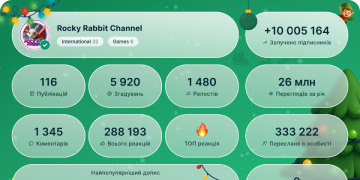
559 262
مشترکین
-37424 ساعت
-2 6057 روز
-11 57630 روز
آرشیو پست ها
Photo unavailableShow in Telegram
[𝗦𝗲𝗰𝘂𝗿𝗶𝘁𝘆 𝗲𝘀𝘀𝗲𝗻𝘁𝗶𝗮𝗹𝘀]: 𝗖𝗼𝗺𝗺𝗼𝗻 𝘂𝘀𝗲𝗿 𝗾𝘂𝗲𝘀𝘁𝗶𝗼𝗻𝘀👤💭
1️⃣𝗛𝗼𝘄 𝗱𝗼 𝗜 𝗯𝗮𝗰𝗸 𝘂𝗽 𝗺𝘆 𝘄𝗮𝗹𝗹𝗲𝘁?
Backup is crucial because there's no "Forgot Password" button in crypto! We highly recommend watching our video guide on how to properly back up your wallet. Whether you're using the App (MPC backup) or the Extension (Seed Phrase), make sure your recovery details are stored safely. If you lose both your password and your backup method, access to your funds is permanently lost.
Video guide: https://shorturl.at/TDFU5
2️⃣𝗛𝗼𝘄 𝗰𝗮𝗻 𝗜 𝗿𝗲𝗰𝗼𝘃𝗲𝗿 𝗺𝘆 𝗽𝗮𝘀𝘀𝘄𝗼𝗿𝗱 𝗼𝗿 𝗿𝗲𝗴𝗮𝗶𝗻 𝗮𝗰𝗰𝗲𝘀𝘀 𝘁𝗼 𝗺𝘆 𝗮𝗰𝗰𝗼𝘂𝗻𝘁?
If you forget your password, the first step is always to use your alternative backup methods (like your recovery phrase or MPC setup). If you have trouble logging in, occasionally a weak or blocked internet connection can be the issue. Try turning on a VPN or finding a location with a strong connection and attempt to log in again. If that fails, please follow the password recovery guide here: https://shorturl.at/6ec9d
3️⃣𝗛𝗼𝘄 𝗰𝗮𝗻 𝗜 𝗽𝗿𝗼𝘁𝗲𝗰𝘁 𝗺𝘆𝘀𝗲𝗹𝗳 𝗳𝗿𝗼𝗺 𝘀𝗰𝗮𝗺𝗺𝗲𝗿𝘀?
The crypto world requires caution! Always remember: Wigwam Support will NEVER ask for your private key or seed phrase. Since transactions are irreversible, scammers may try to steal your funds by asking for these keys, inviting you to suspicious projects, or tricking you into connecting to unsafe apps. Never share your private keys,connect to suspicious dApps and never invest in anything you don't fully trust.
Still have questions? Let us know in the comments, and we'll help you out!
❤ 47👍 33🥰 6🫡 4
02:39
Video unavailableShow in Telegram
𝗪𝗶𝗴𝘄𝗮𝗺 𝗘𝘅𝘁𝗲𝗻𝘀𝗶𝗼𝗻 𝘃𝘀. 𝗔𝗽𝗽 – 𝘄𝗵𝗶𝗰𝗵 𝗼𝗻𝗲 𝗶𝘀 𝗳𝗼𝗿 𝘆𝗼𝘂?🏕️
In this video, we break down the key differences between Wigwam Extension and Wigwam App.
Each is built with a different security model and user needs in mind:
🔑 𝗪𝗶𝗴𝘄𝗮𝗺 𝗘𝘅𝘁𝗲𝗻𝘀𝗶𝗼𝗻 – seed phrase–based, giving you full control of your private keys and maximum flexibility with NFTs, testnets, and advanced dApp connections. Perfect for experienced Web3 users.
📱 𝗪𝗶𝗴𝘄𝗮𝗺 𝗔𝗽𝗽 – powered by MPC protection, removing the need for a seed phrase. It’s designed to be simple, safe, and convenient, with features like token insights, crypto purchases, and a built-in loyalty program.
⬇️Watch the full video to compare them and choose what suits you best.
IMG_3254.MOV30.52 MB
👍 38❤ 36👎 3🔥 2🌚 2
01:12
Video unavailableShow in Telegram
𝗔 𝗾𝘂𝗶𝗰𝗸 𝗴𝘂𝗶𝗱𝗲 𝗼𝗳 𝘁𝗵𝗲 𝗔𝗰𝘁𝗶𝘃𝗶𝘁𝘆 𝘁𝗮𝗯
In our new tutorial, we walk you through the Activity tab step-by-step:
▫️Find the detailed information of every transaction.
▫️See the exact assets you swapped.
▫️Verify your activity directly on the blockchain explorer for total transparency.
Watch the full video below⬇️
IMG_2536.MOV13.96 MB
❤ 45👏 17🔥 13👍 8👎 4😁 1
Photo unavailableShow in Telegram
Truth or Lie?🤔
1️⃣. EVM networks are fully compatible with each other, meaning a smart contract deployed on Ethereum will run on any other EVM chain without changes.
2️⃣. You need a completely new wallet for each EVM network you want to use.
3️⃣. EVM stands for “Ethereum Virtual Machine,” which is the environment that allows smart contracts to run on compatible blockchains.
Check the answers in the comments💡
❤ 39👍 28🔥 16👏 5
01:34
Video unavailableShow in Telegram
𝗗𝗶𝗱 𝘆𝗼𝘂 𝗸𝗻𝗼𝘄?
Wigwam supports all major EVM networks plus Solana, so you can manage assets and smart contracts across multiple blockchains in one wallet.
Here’s why it matters:
🌐Hold assets from different EVM networks in one place
🌐Swap tokens across networks without leaving your wallet
🌐Connect to multiple dApps seamlessly
Watch the full EVM educational video below⬇️
IMG_2104.MOV17.68 MB
👍 46❤ 31🔥 16👏 4
00:29
Video unavailableShow in Telegram
𝗪𝗶𝗴𝘄𝗮𝗺 𝗶𝘀 𝗲𝘅𝗽𝗮𝗻𝗱𝗶𝗻𝗴! 💻
Soon you’ll use it not only on your phone, but right in your browser.
Wigwam web version. Coming soon.
IMG_2059.MOV6.80 MB
👍 49❤ 23🔥 20🤡 8👏 6
01:12
Video unavailableShow in Telegram
𝗪𝗲𝗹𝗰𝗼𝗺𝗲 𝘁𝗼 𝗪𝗶𝗴𝘄𝗮𝗺!
Here’s a quick checklist to get you started and make your crypto journey smooth:
✅ Install & Back Up
✅ Add Funds
✅ Trade & Swap
✅ Earn Rewards
Swap, Buy, Receive and enjoy your Wigwam crypto journey!
🎥 See the full step-by-step guide in our quick tutorial video and get started now.
IMG_0143.MOV13.36 MB
👍 51❤ 39🔥 18👎 3🥱 2
What’s your top ?Anonymous voting
- ETH
- SOL
- CRO
- NMR
- HYPE
👍 53👎 40🔥 27❤ 18😡 1
Photo unavailableShow in Telegram
𝗦𝗼𝗺𝗘𝗧𝗛𝗶𝗻𝗴 𝗵𝗮𝗽𝗽𝗲𝗻𝗲𝗱.. 🚀
Big moves hit the charts this week.
Are you buying, selling, or chilling?
Let’s check which coin Wigwamers love most⬇️
👍 45👎 37🔥 17❤ 9🤡 2🦄 1
Photo unavailableShow in Telegram
𝗡𝗲𝘄 𝗲𝗱𝘂𝗰𝗮𝘁𝗶𝗼𝗻𝗮𝗹 𝗴𝘂𝗶𝗱𝗲: 𝗔𝘃𝗼𝗶𝗱 𝗰𝗼𝗺𝗺𝗼𝗻 𝘄𝗮𝗹𝗹𝗲𝘁 𝗺𝗶𝘀𝘁𝗮𝗸𝗲𝘀 𝘄𝗶𝘁𝗵 𝘀𝘄𝗮𝗽𝘀💡
Follow these tips to keep your crypto journey smooth, safe, and stress-free with Wigwam:
🔎𝗥𝗲𝘀𝗲𝗮𝗿𝗰𝗵 𝗯𝗲𝗳𝗼𝗿𝗲 𝗯𝘂𝘆𝗶𝗻𝗴 𝗻𝗲𝘄 𝘁𝗼𝗸𝗲𝗻𝘀
Scam tokens are everywhere on social media and decentralized exchanges. Always do your own research (DYOR) before making a purchase.
✅𝗗𝗼𝘂𝗯𝗹𝗲-𝗰𝗵𝗲𝗰𝗸 𝘁𝗵𝗲 𝘁𝗼𝗸𝗲𝗻
Many tokens have similar names, and some even share the same name but exist on different blockchains. Make sure you’re picking the right one.
👉𝗖𝗵𝗼𝗼𝘀𝗲 𝘁𝗵𝗲 𝗰𝗼𝗿𝗿𝗲𝗰𝘁 𝗯𝗹𝗼𝗰𝗸𝗰𝗵𝗮𝗶𝗻
Many tokens exist on more than one chain. Pick the blockchain you’ll actually use and make sure you have enough native gas tokens for transactions.
📊𝗩𝗲𝗿𝗶𝗳𝘆 𝗹𝗶𝗾𝘂𝗶𝗱𝗶𝘁𝘆
Some tokens have very low liquidity on decentralized exchanges. Low liquidity can make even small purchases impact the price.
⛓️𝗣𝗿𝗲𝗳𝗲𝗿 𝘀𝗮𝗺𝗲-𝗰𝗵𝗮𝗶𝗻 𝘀𝘄𝗮𝗽𝘀 𝘄𝗵𝗲𝗻 𝗽𝗼𝘀𝘀𝗶𝗯𝗹𝗲
They’re cheaper, faster, and simpler. Cross-chain swaps only make sense if necessary.
Follow these steps and enjoy a safer, smoother swap experience with Wigwam.
👎 174❤ 51👍 22🔥 17👏 4
00:54
Video unavailableShow in Telegram
📲 𝗪𝗶𝗴𝘄𝗮𝗺 𝗦𝗲𝘁𝘁𝗶𝗻𝗴𝘀
Following up on Friday’s video, Part 2 walks you through additional tools in Wigwam Settings. See how to:
✔️contact support quickly
✔️suggest new features
✔️connect with the Wigwam community
All designed to help you personalize and manage your wallet efficiently.
▶️ Watch the full demo.
IMG_9444.MOV9.75 MB
👎 186❤ 55👍 32🔥 13🤷♂ 2
01:07
Video unavailableShow in Telegram
𝗡𝗲𝘄 𝗲𝗱𝘂𝗰𝗮𝘁𝗶𝗼𝗻𝗮𝗹 𝘃𝗶𝗱𝗲𝗼: 𝗪𝗶𝗴𝘄𝗮𝗺 𝗦𝗲𝘁𝘁𝗶𝗻𝗴𝘀🔧
Today we’re presenting Part 1 of our video on the Wigwam settings section.
In this tutorial, you’ll learn how to: find your wallet address, where to connect to dApps, how to set your default currency, switch languages, adjust haptics, and secure your wallet with Face ID & backups.
▶️ Watch the full demo to see these settings in action.
IMG_9445.MOV12.77 MB
👎 92❤ 53👍 27🔥 23😁 2
Photo unavailableShow in Telegram
𝗖𝗵𝗲𝗰𝗸 𝗼𝘂𝘁 𝘁𝗵𝗲 𝘁𝗼𝗽 𝘁𝗿𝗲𝗻𝗱𝗶𝗻𝗴 𝗺𝗲𝗺𝗲𝗰𝗼𝗶𝗻𝘀 𝗿𝗶𝗴𝗵𝘁 𝗻𝗼𝘄 𝗼𝗻 𝗪𝗶𝗴𝘄𝗮𝗺! 🐸📊
These coins are gaining attention and showing movement on the charts.
Want to track their prices?
Open Wigwam ➡️ Market ➡️ Top Assets ➡️Memecoins
Stay updated with https://wigwam.app
👎 83👍 45❤ 24🔥 21😁 4👏 1
00:59
Video unavailableShow in Telegram
🚨 𝗪𝗵𝗮𝘁’𝘀 𝘀𝗹𝗶𝗽𝗽𝗮𝗴𝗲 𝗮𝗻𝗱 𝘄𝗵𝘆 𝗱𝗼𝗲𝘀 𝗶𝘁 𝗺𝗮𝘁𝘁𝗲𝗿 𝘄𝗵𝗲𝗻 𝘀𝘄𝗮𝗽𝗽𝗶𝗻𝗴 𝗰𝗿𝘆𝗽𝘁𝗼?
It’s the price movement you’re okay with while your swap is confirming.
On DEXs like Wigwam, prices shift fast, especially for meme coins and low-liquidity tokens.
🪙 Stablecoins? 0.5% slippage usually works.
🐸 Meme coins? You might need 5–10% to get the swap through.
💡 Pro tip: Tap the ⚙️ icon to adjust slippage before swapping. And always turn it back down after trading risky tokens or you might overpay next time.
➡️ Try it now in: https://wigwam.app
IMG_9179.MOV10.54 MB
👎 87❤ 51👍 26🔥 15😁 6
Photo unavailableShow in Telegram
𝗖𝗿𝘆𝗽𝘁𝗼 𝗤𝘂𝗶𝘇: 𝗚𝗿𝗲𝗲𝗻 𝗳𝗹𝗮𝗴 𝗼𝗿 𝗿𝗲𝗱 𝗳𝗹𝗮𝗴?
Green Flag ✅: You always double-check contract addresses before interacting with web3 applications.
Red Flag 🚩: You click “Connect Wallet” on random airdrop sites at 3AM.
Green Flag ✅: DYOR before swapping a new token, even if it’s trending.
Red Flag 🚩: Influencer tweets “Not financial advice” after shilling a token.
Green Flag ✅: You use multiple secure methods to back up your wallet (Google Drive, password, passkey).
Red Flag 🚩: You rely on just one method and hope for the best.
Green Flag ✅: You diversify your portfolio to manage risk.
Red Flag 🚩: You put all your funds into one "moonshot" token without doing the research.
How many Green flags did you get?
👎 108👍 64❤ 23🔥 17🍌 4🦄 3
01:19
Video unavailableShow in Telegram
📊 Dive into token analytics with Wigwam!
Check market stats, price trends & more — all in one place.
Want to keep an eye on specific tokens?👀 Add them to your portfolio in one tap.
🔗 https://wigwam.app
IMG_8834.MOV14.71 MB
👎 106👍 49❤ 32🤡 10🔥 6
01:19
Video unavailableShow in Telegram
📊 Dive into token analytics with Wigwam!
Check market stats, price trends & more — all in one place.
Want to keep an eye on specific tokens?👀 Add them to your portfolio in one tap.
🔗 https://wigwam.app
IMG_8834.MOV14.71 MB
Photo unavailableShow in Telegram
Check out the Top Gainers now on Wigwam!
You might spot your next big move📈
📲 Open Wigwam → Explore → Top Gainers
🔗 https://wigwam.app
👎 81👍 64🤡 21❤ 19🔥 13🥴 3🗿 3😁 1
01:04
Video unavailableShow in Telegram
𝗖𝗼𝗻𝗻𝗲𝗰𝘁 𝗪𝗶𝗴𝘄𝗮𝗺 𝘁𝗼 𝗱𝗔𝗽𝗽𝘀 𝗹𝗶𝗸𝗲 𝗖𝗼𝗺𝗽𝗼𝘂𝗻𝗱 𝗶𝗻 𝗷𝘂𝘀𝘁 𝗮 𝗳𝗲𝘄 𝘀𝗲𝗰𝗼𝗻𝗱𝘀 ⚡
Here’s how:
1️⃣ Open the dApp (for example, Compound)
2️⃣ Tap “Connect Wallet” → WalletConnect
3️⃣ Search for Wigwam and select it
4️⃣ Approve the request in-app — and you’re in ✅
You can also use a QR code or manually enter a code if you’re on desktop.
Watch the full tutorial to see how it’s done!
IMG_8499.MOV10.33 MB
👎 112👍 55❤ 38🔥 14😁 2🤡 2
What’s your favorite chain to swap on right now?🔄
Anonymous voting
- Ethereum
- Arbitrum
- Base
- Polygon
- Just chasing gas fees🤘🏼
💩 114❤ 58🔥 31👍 15🖕 8😁 5