Telegram Tips
Открыть в Telegram
Telegram stands for freedom and privacy and has many easy to use features.
Больше2025 год в цифрах
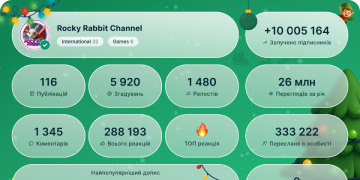
13 439 017
Подписчики
+2 59124 часа
+27 0077 дней
+106 67530 день
Архив постов
00:09
Видео недоступноПоказать в Telegram
Media Editor: Tilt Shift. Add a circular or linear blur effect to photos – pinch to change the size, spread or angle.
tilt shift.mp42.79 MB
00:07
Видео недоступноПоказать в Telegram
Media Editor: Correction. Adjust 10 different parameters like brightness, saturation and contrast for both photos and videos.
basic correction.mp42.60 MB
00:07
Видео недоступноПоказать в Telegram
Media Editor: Undo. Tap the undo button to remove your last action in the media editor. On iOS, users can also use an eraser to wipe away small mistakes.
undo eraser.mp42.40 MB
00:11
Видео недоступноПоказать в Telegram
Media Editor: Drawing Tools. Add illustrations to your media items in several styles, like arrows. Move left and right on the slider to pick a color, then slide up and down to change brush size.
draw arrow.mp43.50 MB
00:06
Видео недоступноПоказать в Telegram
Media Editor: Enhance. Brightness, contrast and many other parameters are automatically adjusted to create vibrant photos and videos.
auto enhance.mp41.82 MB
00:07
Видео недоступноПоказать в Telegram
Telegram Support. Contact our volunteer support team anytime from ‘Ask a Question’ on the Settings page.
hitchhiker support.mp41.26 MB
00:06
Видео недоступноПоказать в Telegram
Custom admin titles have several uses, including bringing a little class to the group chat ☕️🧐
pooh square gif.mp41.30 MB
00:18
Видео недоступноПоказать в Telegram
Two-Step Verification. Add an extra layer of security to your account with a password. When enabled, it will be required each time you log in, along with the code sent to your device.
If you forget your password, you can only reset it using the recovery email you add during setup.
However, if you are still logged in and can't access that email, you can request a password reset to remove the password after 7 days – but can be cancelled from any of your devices.
Go to Settings > Privacy and Security > Two-Step Verification to add or change your password.
You can also enable a local Passcode Lock – a PIN code that is required to open the app and view your chats.
Two Step Verification Updated.mp45.09 MB
00:04
Видео недоступноПоказать в Telegram
Multi-device support. Use your Telegram account on every platform – your chats and media are backed up in the cloud, sync across all your devices and instantly appear when you log in.
Multi device v2.mp41.43 MB
00:13
Видео недоступноПоказать в Telegram
Private Groups and Channels. By default, all groups and channels you make are private – which means users must be added or use an invite link to join and see the chat.
To make your group or channel open to all users and appear in Global Search, change it to a Public Chat from its Settings page.
Private Groups and Channels fix.mp43.73 MB
00:06
Видео недоступноПоказать в Telegram
Auto-Night Mode. Set your app to switch between Light and Dark themes automatically – using specific times, your system setting, or even local sunrise and sunset.
Android users can tap the 🌙/☀️icon in the side menu to instantly switch between Day and Night themes.
autonight mk 3.mp41.25 MB
00:08
Видео недоступноПоказать в Telegram
Pinned Message Notifications. You can pin multiple messages in any chat to highlight important info. In groups, choose whether to send a special notification to all members, which will appear even if they have the chat muted.
avengers pins with taps.mp48.78 MB
00:08
Видео недоступноПоказать в Telegram
Chat Background Images. On Android, choose a photo from your gallery to use as a chat background via Settings > Chat Settings > Change Chat Background.
On iOS, go to Settings > Appearance > Chat Background.
Chat Background Images.mp42.49 MB
00:11
Видео недоступноПоказать в Telegram
Chat Folder Icons. Add individual icons for your chat folders on Telegram Desktop and Telegram for macOS to organize everything from cats to cryptocurrency.
folder icons.mp42.48 MB
00:11
Видео недоступноПоказать в Telegram
Media Editor: Luminosity Curves. Make advanced lighting adjustments or help specific colors stand out – with complete control over shadows, midtones and highlights.
curves 3_1.mp43.96 MB
00:04
Видео недоступноПоказать в Telegram
Mini Thumbnails. See small versions of media messages right from the chat list. To take a quick look at the chat itself, press and hold to preview the chat.
pokemon 4.mp42.77 MB
00:13
Видео недоступноПоказать в Telegram
Switch Profile Pictures. Quickly change back to a previous profile picture or video by tapping ‘Set as Main’ from your profile page.
Set as Main.mp43.80 MB
00:15
Видео недоступноПоказать в Telegram
Announce Messages with Siri. iOS users can set Siri to read incoming messages aloud in their bluetooth headphones.
(Watch this video with sound on 🔉)
rick final.mp45.99 MB
00:07
Видео недоступноПоказать в Telegram
Media Editor: Crop / Rotate Video. Resize, rotate or flip videos before sending them.
inception crop ENG.mp46.61 MB
00:08
Видео недоступноПоказать в Telegram
Media Editor: Text. Add a description or make custom memes using multiple text styles.
text.mp42.84 MB