
Telegram Tips
Открыть в Telegram
Telegram stands for freedom and privacy and has many easy to use features.
Больше2025 год в цифрах
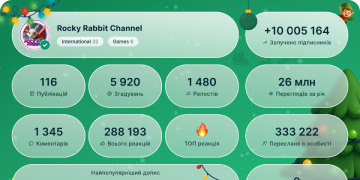
13 432 576
Подписчики
+8 68524 часа
+26 0787 дней
+107 95330 день
Архив постов
00:09
Видео недоступноПоказать в Telegram
GIFs. Telegram has thousands of high-quality GIFs – featuring scenes from your favorite movies and shows.
Open the GIF section of your Sticker Panel to see what’s trending, search for something specific, or browse the themed tabs to find one that matches an emotion.
Simply tap to send, or press and hold to preview the full image – and add it to your saved GIFs or schedule it for a later time.
GIF Panel 2022.mp42.52 MB
00:11
Видео недоступноПоказать в Telegram
Save to Gallery. Automatically save incoming media to your gallery in Settings > Data and Storage. You can control it by chat type – with the option to enable it separately for users, groups or channels.
On iOS, go to Settings > Data and Storage > Save Incoming Photos.
Save to Gallery.mp43.10 MB
00:20
Видео недоступноПоказать в Telegram
Animated Profile Pictures on macOS. Create a custom, looping profile video on macOS from your favorite animated stickers and emoji – complete with gradient backgrounds and patterns.
You can add one to your own account, or create them for groups and channels – quickly giving any chat a personalized icon.
Profile Pic Creator macOS.mp45.22 MB
00:09
Видео недоступноПоказать в Telegram
External Sharing. Users can directly share large media items to Telegram from other apps – saving time and storage space.
On iOS, you can follow the status of your upload with an animated progress bar.
External Sharing iOS OPT.mp41.07 MB
00:06
Видео недоступноПоказать в Telegram
Preview Chats. Press and hold the profile picture of any chat to view its messages – without marking them as read.
You can scroll in the preview window to see more of the chat history, or use the menu buttons to quickly pin, mute or mark as read.
Chat Preview Android OPT.mp41.36 MB
00:10
Видео недоступноПоказать в Telegram
⭐ Doubled Limits. With Telegram Premium, you get increased limits for almost everything in the app.
Follow 1000 channels, create 20 folders with 200 chats each, add a fourth account to any app, pin 10 chats in the main list, save 10 favorite stickers – and more.
Doubled Limits OPT.mp42.06 MB
00:06
Видео недоступноПоказать в Telegram
⭐ Premium Icons. Premium users have 3 more app icons to choose from – a premium star, turbo plane, and night sky.
All Android and iOS users have several default icon options, like Vintage and Aqua in Settings > Chat Settings (Android) or Settings > Appearance (iOS).
App Icons zoom OPT.mp41.24 MB
00:04
Видео недоступноПоказать в Telegram
⭐ No Ads in Public Channels. Sponsored Messages are shown in some large public channels. These privacy-conscious advertisments help support Telegram’s costs, but are hidden for Premium subscribers.
No Ads Android OPT.mp41.51 MB
00:05
Видео недоступноПоказать в Telegram
⭐ Profile Badges. Premium subscribers have a special badge that appears next to their name in the chat list, chat headers, member lists in groups, and on their profile.
Premium Badge iOS.mp41.54 MB
00:08
Видео недоступноПоказать в Telegram
⭐ Animated Profile Pictures. The profile videos of Premium users animate throughout the app – including in chats and the chat list.
Animated Prof Pic iOS OPT.mp41.10 MB
00:03
Видео недоступноПоказать в Telegram
⭐ Auto-Archive and Mute. Premium users can set new chats from non-contacts to automatically go to their Archived Chats with notifications disabled.
Enable this setting via Settings > Privacy and Security > Archive and Mute. This option will also appear for any free users who have many chats with non-contacts.
Auto Archive iOS OPT.mp43.96 KB
00:03
Видео недоступноПоказать в Telegram
⭐ Default Chat Folder. With Telegram Premium, you can change your default folder from All Chats to a custom one, like Work or Unread.
To change it, press and hold a folder, tap Reorder, then drag a new folder to the first space.
Change Default Folder Android OPT.mp43.92 KB
00:16
Видео недоступноПоказать в Telegram
⭐ Premium Reactions. Several unique reaction emoji are available to Premium users – like 👌😍❤️🔥🤡💯🐳🌭.
All users can increase the count of these emoji on a message after a Premium user reacts with one.
Premium Reactions Android.mp44.17 MB
00:14
Видео недоступноПоказать в Telegram
⭐ Premium Stickers. Premium subscribers can send dozens of stickers with full-screen effects – which can be seen by all users.
More premium stickers from Telegram artists are added every month.
Premium Sticker iOS.mp43.94 MB
00:11
Видео недоступноПоказать в Telegram
⭐ Transcribe Voice Messages. Premium users can tap the →A button to quickly read a voice message or copy text from the audio.
You can also rate the transcription to help improve accuracy – tap the voice message on Android, or press and hold on iOS.
Voice to Text Android OPT.mp41.78 MB
00:09
Видео недоступноПоказать в Telegram
⭐ Faster Download Speed. Telegram Premium unlocks the fastest possible download speed – loading media and saving files as fast as your network allows.
Faster Download Speed iOS.mp42.49 MB
00:06
Видео недоступноПоказать в Telegram
⭐ 4 GB File Uploads. Telegram Premium subscribers can send media and files each up to 4 GB in size – which all users can download.
4GB Uploads OPT.mp41.70 MB
00:06
Видео недоступноПоказать в Telegram
Telegram Premium lets users support the app and unlock exclusive features like:
⭐️ 4 GB Uploads
⭐️ Faster Download Speed
⭐️ Transcribing Voice Messages
⭐️ Premium Stickers
⭐️ Premium Reactions
⭐️ Default Chat Folders
⭐️ Auto-Archiving Chats
All existing features will remain free, and new features for all users will be added in every update.
To see the full list of Premium features, go to Settings > Telegram Premium.
Premium Star OPT.mp41.09 MB
Фото недоступноПоказать в Telegram
Telegram now has over 700 million users and is one of the world’s top 5 most-used apps.
To read more about this milestone and the future of Telegram, check out our blog post.
00:11
Видео недоступноПоказать в Telegram
Picture-in-Picture Playback. Continue watching videos while you browse other chats or even other apps.
Tap or click the PiP icon in the media viewer on any app to switch to picture-in-picture mode, and pinch or drag to resize the player window. To close the window, drag it off screen or tap the ⓧ.
On iOS, drag the player to the side of your screen to hide the video and keep listening to its audio.
Android PiP.mp43.05 MB