
Telegram Tips
Відкрити в Telegram
Telegram stands for freedom and privacy and has many easy to use features.
Показати більше2025 рік у цифрах
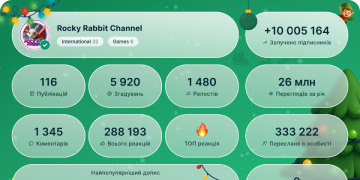
13 431 400
Підписники
+8 68524 години
+26 0787 днів
+107 95330 день
Архів дописів
00:08
Відео недоступнеДивитись в Telegram
Mini Apps: Media Sharing. Media and files can be shared directly from mini apps – sending referral codes, custom memes and more to any chat.
media sharing from apps_1.mp42.00 MB
00:15
Відео недоступнеДивитись в Telegram
Mini Apps: Creating Files. Mini apps are able to generate files and media that you can save to your device or share to other chats.
creating files_1.mp43.92 MB
00:15
Відео недоступнеДивитись в Telegram
Mini Apps: Setting Emoji Status. Premium users can set an emoji status inside mini apps – or give apps permission to automatically change their status.
Mini apps can also integrate APIs from other services – updating your status when you're in a game 🎮 or watching a movie 🍿.
Similarly, location permissions can be used to instantly change your status from at work 💼 to on vacation 🧳.
emoji status from apps_1.mp43.91 MB
00:05
Відео недоступнеДивитись в Telegram
Mini Apps: Gifts from Apps. Mini apps can use Telegram Stars on their balance to send gifts to users – for notable achievements and milestones.
Gifts from apps_1.mp41.25 MB
00:10
Відео недоступнеДивитись в Telegram
Mini Apps: Geolocation Access. You can choose to share your location with mini apps – allowing developers to make location-based games with points of interest or interactive maps for events.
Access to location data is disabled by default – you must specifically give permission to each individual mini app in order to share your location.
Location Access_1.mp42.57 MB
00:10
Відео недоступнеДивитись в Telegram
Mini Apps: Geolocation Access. You can choose to share your location with mini apps – allowing developers to make location-based games with points of interest or interactive maps for events.
Access to location data is disabled by default – you must specifically give permission to each individual mini app in order to share your location.
Location Access_1.mp42.57 MB
00:09
Відео недоступнеДивитись в Telegram
Mini Apps: Home Screen Shortcuts. Mini apps allow users to place direct shortcuts to specific apps on the home screen of their device.
Tapping a shortcut instantly opens its mini app in Telegram – to access your favorite games and services even faster.
Homescreen Shortcuts_1.mp42.53 MB
00:10
Відео недоступнеДивитись в Telegram
Mini Apps: Motion Tracking. Developers can use motion information from devices to add unique controls to games or build immersive VR experiences.
Motion Tracking_1.mp42.52 MB
00:08
Відео недоступнеДивитись в Telegram
Mini Apps: Full-Screen Mode. Mini apps are now able to use the entire screen in portrait or landscape orientation.
Full-Screen Mode is supported in both Telegram's desktop apps and mobile apps – allowing for powerful games and interactive media on every platform.
iOS Full-Screen Mini Apps EN_1.mp44.93 MB
00:10
Відео недоступнеДивитись в Telegram
Chat-Specific Hashtags. Groups and channels can use the format
#hashtag@username for hashtags to make their content more accessible.
These hashtags automatically filter search results when tapped and only show posts and stories from the specified chat.Chat-Specific Hashtags OPT.mp41.86 MB
00:05
Відео недоступнеДивитись в Telegram
Last Edit Timestamps. Edited messages show a timestamp, displaying when the message was last edited.
Messages in private chats and small groups also display detailed read receipts.
Edit Timestamps OPT.mp42.02 KB
00:09
Відео недоступнеДивитись в Telegram
Add Media to Sent Messages. Messages sent without an attachment can be edited to add media and files – from any of your devices.
You can also edit sent media to re-edit photos or replace media in a message.
Add Media to Sent Messages OPT.mp41.52 MB
00:10
Відео недоступнеДивитись в Telegram
Adjust Video Playback Speed. While watching a video, press and hold to quickly speed up playback – and slide right to gradually increase the speed up to 3x.
You can also set videos to always play at any speed from 0.2x to 2.5x by tapping the ⚙️ gear icon in the video player.
Adjust Playback Speed.mp42.62 MB
00:14
Відео недоступнеДивитись в Telegram
Optimized Videos in Channels. In large channels, Telegram optimizes videos when they are posted – offering subscribers multiple quality settings for the video.
This allows channel owners to post videos in better quality – without impacting subscribers on weaker connections.
Optimized Videos in Channels OPT.mp43.35 MB
00:11
Відео недоступнеДивитись в Telegram
Dynamic Video Quality. In large channels, the video player automatically selects a quality level based on your connection – saving data and loading videos faster.
You can also manually select your preferred quality level – High, Medium or Low. To adjust video quality, tap the ⚙️ gear icon in the video player.
Dynamic Video Quality OPT.mp41.65 MB
00:04
Відео недоступнеДивитись в Telegram
Detailed User Reports. If you come across a message that violates Telegram's Terms of Service, you can quickly report it to our moderators from any Telegram app.
To report a message, tap on Android, hold on iOS or right-click on Desktop and Web.
The reporting menu has detailed options for every category – improving reports for moderators and helping scale Telegram's AI moderation tools.
reporting OPT.mp42.63 KB
00:10
Відео недоступнеДивитись в Telegram
Verification Platform. Any business, app or website can use Telegram to send verification codes to their users – for just $0.01 per message.
Users receive verification codes for other apps in a special chat – where they can copy the code in one tap.
Telegram codes are also faster, more secure and more reliable than other services. Interested developers can learn more in our detailed guide.
verif OPT.mp41.33 MB
00:16
Відео недоступнеДивитись в Telegram
Gifts. Users can send gifts to each other – celebrating holidays and achievements with animated artwork and custom messages.
Gifts are purchased with Telegram Stars – recipients can choose to display gifts on their profile or convert them back to Stars for their own balance.
To send a gift, open the user's profile and tap ➕/➕> Send a Gift. When sending a gift you can hide your name – making it so only the recipient is able to see who sent it.
gifts_1.mp43.97 MB
00:07
Відео недоступнеДивитись в Telegram
Instant View for Telegram Browser. Any site you open in the Telegram Browser can be converted to Instant View – optimizing articles into a lightweight layout.
To convert a page, open the browser settings ➕➕ and select 'Instant View' or 'Show Instant View'.
instant view browser_1.mp41.94 MB
00:13
Відео недоступнеДивитись в Telegram
Star Giveaways. Giveaways in groups and channels support Telegram Stars – which winners can spend on paid media, subscriptions and mini apps.
Communities that host giveaways receive boosts in return, allowing them to unlock perks like posting stories.
Channel owners can start a giveaway via Channel Settings > Statistics > Boosts. For groups, go to Group Info > Statistics > Boosts.
star giveaways_1.mp43.44 MB