
2025 年数字统计
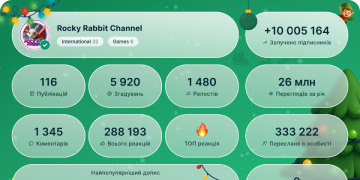
13 432 605
订阅者
+2 59124 小时
+27 0077 天
+106 67530 天
帖子存档
00:12
视频不可用在 Telegram 中显示
Bot Admins. Some bots are built for use in groups and channels – to help moderators or add fun features.
Bots can be added directly to chats from their profile, letting you instantly configure their rights.
Bots can be added to groups as members or admins, but can only be added to channels as admins.
iOS Bot Admins.mp43.51 MB
00:23
视频不可用在 Telegram 中显示
Bot Interfaces. Developers can create infinitely flexible interfaces for bots using JavaScript.
With these, bots can replace any website – like online stores, games and services.
Interface elements can update in real time, changing to match a user’s theme or night mode. Check out @DurgerKingBot to see them in action.
Web Bots iOS Optimized.mp44.35 MB
00:09
视频不可用在 Telegram 中显示
Replies in Forwarded Messages. Select messages to forward them to another chat. Forwards show replies to keep the full context of the conversation.
You can control whether forwarded messages include a link to your account in Settings > Privacy and Security.
Replies in Forwards Android.mp42.07 MB
00:08
视频不可用在 Telegram 中显示
Silence or Mute Notifications. Disable alert sounds from a chat or turn off notifications completely.
Select ‘Mute for’ on Android or ‘Mute until’ 🔔 on iOS to set a custom mute duration – pausing notifications for a specific period.
You can also quickly mute chats from your chat list.
Android Custom Mute Optimized.mp41.21 MB
00:18
视频不可用在 Telegram 中显示
Notification Sounds. Tap short audio files or voice messages and select 'Save for Notifications' to create custom alert tones that sync across your devices – like the 20+ sounds available here.
You can set unique tones for individual chats, or entire groups of chats. Add and manage tones via Settings > Notifications and Sounds or in specific chats.
On Android, tap ⋮ > Mute > Customize in a chat header.
On iOS, tap Mute > Customize from a chat’s info page.
Notification Sounds Android.mp43.99 MB
00:08
视频不可用在 Telegram 中显示
Browser Previews. Anyone can open
t.me links to see profiles, posts or entire public channels in their browser – even if they haven’t signed up for Telegram yet.
These previews include buttons to quickly download Telegram for mobile and desktop, or to open it in Telegram Web.Browser Previews.mp42.11 MB
00:09
视频不可用在 Telegram 中显示
Phone Number Links. Post or share a
t.me link anywhere to let others quickly contact you, based on your phone number.
These links follow your Phone Number Privacy settings – if a user isn’t allowed to find you by your number, the link will not work for them.
To create a more anonymous t.me link for yourself, add a custom username in Settings.Phone Number Links.mp42.72 MB
00:18
视频不可用在 Telegram 中显示
Streaming Software Support. Live broadcasts in groups and channels can be managed with external programs like OBS and XSplit to add extra inputs, graphics and more.
Select ‘Stream with…’ when starting your broadcast, then paste the details into your preferred streaming software.
Stream With Other Apps.mp44.82 MB
00:12
视频不可用在 Telegram 中显示
Browse Your Gallery. Quickly access specific folders in your gallery like videos, screenshots and favorites.
On Android, pull the attachment panel to the top of your screen and tap Gallery to select a folder from the menu.
On iOS, tap the 🔍 at the top of the panel to show all your albums.
Browse Gallery 3.mp45.01 MB
00:09
视频不可用在 Telegram 中显示
Preview Media Albums. After selecting multiple items in the 📎 attachment menu, tap ‘⋯ selected’ to preview the message before sending.
Drag an item to change its place in the album, add a caption or remove selected media.
Android Album Preview Attachment.mp42.70 MB
00:13
视频不可用在 Telegram 中显示
Download Manager. Control your media and file downloads from the Downloads tab in Search, or tap the ⬇️ icon that appears in the chat list when you have active downloads.
Pause and resume all downloads or individual items – and select one to view it in chat. On iOS, you can select an item to raise its priority, so it will be downloaded first.
iOS Download Manager.mp43.52 MB
00:08
视频不可用在 Telegram 中显示
Navigate Recent Chats. Press and hold the ‘Back’ button to return to a specific chat after opening other chats from forwarded messages, links, profiles and more.
When jumping through unread channels, previous channels from the feed will also appear in the list.
navigation menu android.mp42.09 MB
00:14
视频不可用在 Telegram 中显示
Reaction Effects and Read Status. Animations for reactions are compact and play in real time for all chat members. To send a larger effect, press and hold an emoji in the menu.
Reactions also have read status – tap the ♡ button that appears in chat to jump to your messages with unseen reactions.
Better Reactions Android.mp43.91 MB
00:13
视频不可用在 Telegram 中显示
Video Stickers. Easily create animated stickers from .WEBM video files in any editing program and publish them using the @Stickers bot.
For more details, check out the Video Sticker Manual and this step-by-step Stickers Bot Guide.
Developers can use the Sticker Import API to build apps for creating and importing stickers to Telegram.
Video Stickers iOS.mp44.19 MB
00:13
视频不可用在 Telegram 中显示
Text Recognition. On devices with iOS 13 or macOS 10.15 and above, you can use Live Text to select and copy text directly from photos in chat.
On iOS, tap to open a photo in the media viewer, then tap the text icon to isolate words from the background. The macOS app automatically detects text in photos – ready for you to select with your cursor.
This secure image recognition is handled entirely on your device.
Text Recognition iOS.mp43.73 MB
00:13
视频不可用在 Telegram 中显示
QR Codes for Public Profiles. Generate a QR code for yourself or any user with a public username – as well as any public group, channel or bot.
Tap the QR code icon next to a person’s username or on a chat’s info page, customize its appearance, then print, post or share the code anywhere.
You can generate a QR code for your username from the Settings page.
QR Android Updated.mp43.67 MB
00:17
视频不可用在 Telegram 中显示
Message Translation. In Settings > Language you can add a dedicated Translate button to the context menu when selecting a message.
You can also exclude languages that you speak fluently, which will hide the translation button for those messages.
Translation is available on all Android devices that support Telegram, but requires iOS 15+ on Apple devices.
Translate Android Updated.mp44.68 MB
00:23
视频不可用在 Telegram 中显示
Reactions. Give instant feedback on a message – double tap to send a quick 👍 or tap once to select something else like
🥰❤️🔥👏🎉🤩😁
😱🤯🤔😢🤬👎💩🤮
(on iOS, press and hold).
Reactions are always on in private chats. In groups and channels, admins can choose to enable reactions and pick which emoji are available.
You can change your quick-reaction emoji in Settings > Chat Settings on Android or Settings > Stickers and Emoji on iOS.
Android_ReactionTip.mp46.37 MB